


LogoUnblur Image
  • Pricing

Compressed Image Repair for cleaner, sharper photos.

Turn blocky downloads into photos worth sharing. Compressed Image Repair smooths JPEG artifacts, sharpens edges, and refreshes detail. Upload a picture and choose your finish.

Output mode
Enhanced
Original
OriginalEnhancedExample

Small details. A visible difference.

Compressed Image Repair that brings your photos back into focus

Cleaner surfaces, clearer subjects, and more usable detail. Explore what Compressed Image Repair can do for the images you already have.

Sunlit tiled building and balcony after JPEG compression repair
Compressed input
BeforeAfter · Standard

01 / CLEANER SURFACES

Soften JPEG blocks. Let the picture shine.

Blocky walls and patchy skies distract from a beautiful scene. Compressed Image Repair helps smooth JPEG artifacts and bring definition back to architectural detail.

Choose Standard for a visibly refreshed finish. Compressed Image Repair combines cleanup and enlargement, helping older downloads feel ready for a new project.

Try Compressed Image Repair


Ceramic vase and green glass perfume bottle with refined edges
Compressed input
BeforeAfter · Standard

02 / MORE DEFINED EDGES

Give every outline a cleaner finish.

Rough fringes around glass, ceramics, and product outlines make photos look unfinished. Compressed Image Repair refines these transitions for a cleaner presentation.

Give your listing a stronger first impression. Compare the contours and surface detail with Compressed Image Repair before saving your result.

Try Compressed Image Repair
Natural light portrait showing curls, freckles, and linen texture
Compressed input
BeforeAfter · Standard

03 / NATURAL DETAIL

Keep the character. Refresh the detail.

Curls, freckles, and fabric give a portrait its character. Compressed Image Repair brings more definition to soft, compressed faces and textures.

Prepare a favorite photo for a profile or family album. Use Compressed Image Repair to compare the refreshed detail with your original.

Try Compressed Image Repair
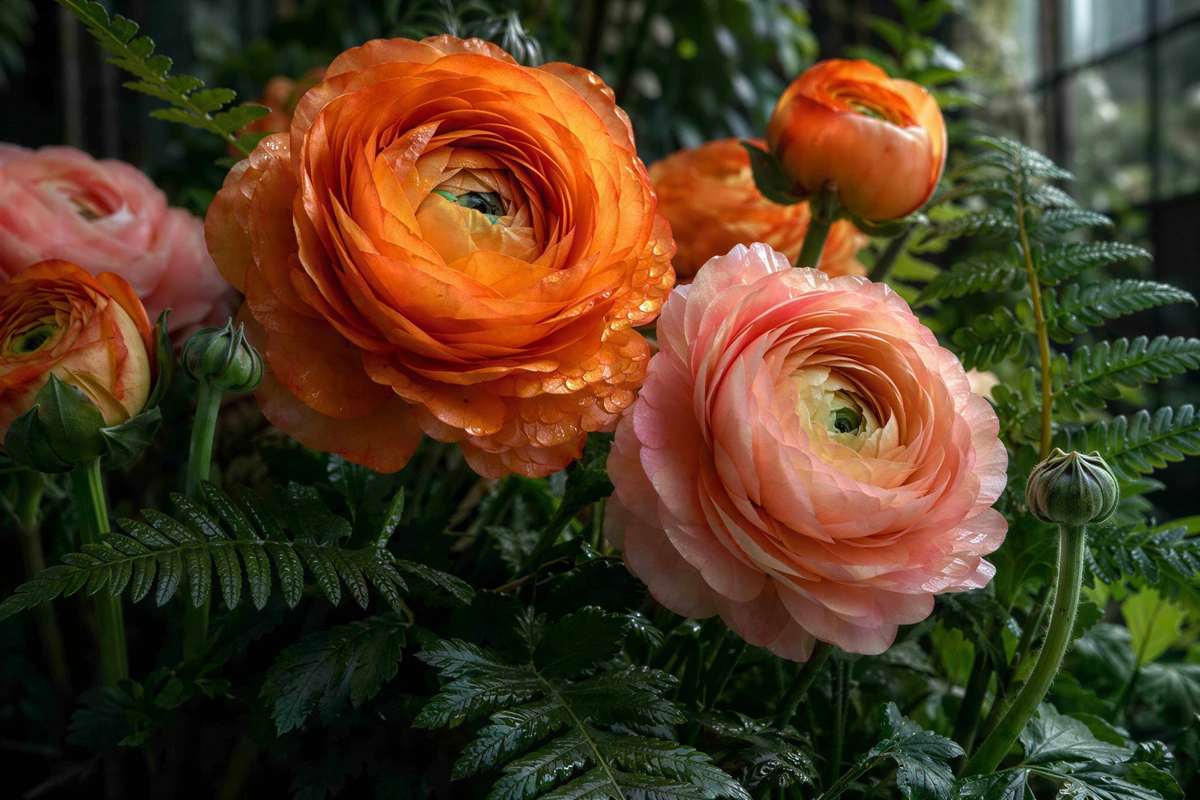
Orange and pink flowers with fine layered petals and fern leaves
Compressed input
BeforeAfter · Standard

04 / ROOM TO GROW

Clean up your image. Give it more room.

A small download can still have a place in your next design. Compressed Image Repair combines enhancement with enlargement for websites, slides, and photo layouts.

See estimated output dimensions before starting. Compressed Image Repair offers Free HD at 2× or 4×, plus supported cloud sizes up to 4K.

Try Compressed Image Repair
Your next collection
Sunlit tiled building and balcony after JPEG compression repair
Standard result
Ceramic vase and green glass perfume bottle with refined edges
Standard result
Natural light portrait showing curls, freckles, and linen texture
Standard result
Orange and pink flowers with fine layered petals and fern leaves
Standard result

One workspace. Individual previews. Easy ZIP downloads.

05 / A WHOLE COLLECTION

One upload session. A fresh set of images.

Refresh a collection without repeating the setup. Add up to 20 photos to Compressed Image Repair and process them with one set of settings.

Review each finished image, then save individually or together as a ZIP. Compressed Image Repair keeps your collection in one workspace.

Try Compressed Image Repair

How to use Compressed Image Repair

  1. 1

    Add your images

    Drop a photo or select a collection from your device.

  2. 2

    Choose your finish

    Choose Standard for artifact cleanup, or try Free HD enlargement.

  3. 3

    Compare and download

    Compare the result, then save one image or a ZIP.

Where Compressed Image Repair makes a difference

Shared memories

Refresh photos saved from WhatsApp and family group chats.

Social content

Reuse older pictures for new posts, covers, and creative layouts.

Shop listings

Present compressed product photos more clearly across your storefront.

Web and presentations

Give older visual assets another use in your next project.

Why choose Compressed Image Repair?

Easy to try

Start with Free HD in your browser, without signing in.

Your choice, upfront

See output dimensions and total cloud credit costs before processing.

A complete workspace

Upload, compare, revisit results, and download in one place.

Compressed Image Repair, explained

Can Compressed Image Repair restore a compressed photo?

Yes. Compressed Image Repair improves visual quality by reducing artifacts and refining detail. Use your best available copy; AI does not recover every pixel discarded by JPEG compression.

Which Compressed Image Repair mode should I choose?

Start with Standard for JPEG artifact removal and enlargement. The examples show its actual results. High Fidelity offers a more conservative finish; Free HD provides local enhancement and upscaling.

Is Compressed Image Repair free to try?

Yes. Free HD needs no sign-in or credits. Standard costs 2, 3, or 4 credits per image at 1K, 2K, or 4K. The total appears before processing.

Does Compressed Image Repair work with WhatsApp photos?

Yes. Save the shared picture to your device and upload it. Choose the earliest or highest-quality copy available for a stronger starting point.

What files does Compressed Image Repair support?

Upload JPG, PNG, or WebP, up to 12 MB each and 20 images per batch. Free HD exports PNG; cloud output format depends on the mode. Downloads have no added watermark.

Can Compressed Image Repair increase resolution?

Yes. Choose Free HD at 2× or 4×, or a supported cloud output up to 4K. Estimated dimensions help you pick the right size.

Where does Compressed Image Repair process my photos?

Free HD runs locally in your browser. Cloud modes upload selected images for processing. Recent results remain available in the same browser.

Does Compressed Image Repair fix unreadable files?

It enhances images that open successfully. Recover a working copy of a corrupted file first. Check exact lettering and facial details against the original, especially with Strong Restore.

Give that photo another chance.

Give a favorite picture a cleaner finish with Compressed Image Repair. Upload your images and see the difference.

Start Compressed Image Repair
LogoUnblur Image

Enhance blurry images online for free

Tools
  • Image Upscaler for Printing
  • Pixelated Image Fixer
  • Compressed Image Repair
  • AI Image Denoiser
Resources
  • Changelog
Company
  • About
  • Contact
Legal
  • Acceptable Use Policy
  • Cookie Policy
  • Privacy Policy
  • Terms of Service
© 2026 Unblur Image. All Rights Reserved.