
LogoUnblur Image
  • Pricing

Pixelated Image Fixer for Clearer, Smoother Photos

Give small, blocky photos a clearer next chapter. Our Pixelated Image Fixer smooths rough edges and brings your images into focus. Start with Free HD, upscale 2× or 4×, and download your result — no sign-up needed.

Output mode
Enhanced
Original
OriginalEnhancedExample · Standard enhancement

Small image. Bigger possibilities.

A Pixelated Image Fixer for the details that matter

From a favorite portrait to your next product listing, turn low-resolution images into visuals you want to use. Explore the difference in these interactive examples.

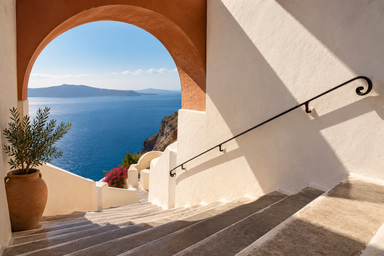
Sunlit Mediterranean staircase and terracotta arch overlooking the blue sea, enhanced with Standard
Sunlit Mediterranean staircase and terracotta arch overlooking the blue sea, low-resolution input
BeforeAfter · Standard

01 / Smoother edges

Let the picture shine, not the pixels

Visible squares and stair-step edges can distract from an otherwise beautiful photo. Our Pixelated Image Fixer helps smooth those blocky transitions and give outlines a cleaner finish.

Depixelate image details in architecture, scenery, and everyday snapshots. Bring attention back to the light, shapes, and subject you wanted to capture, with a simple upload instead of a complicated editing session.

Try Pixelated Image Fixer


Cobalt ceramic vase and cream cup with delicate dried flowers in warm window light, enhanced with Standard
Cobalt ceramic vase and cream cup with delicate dried flowers in warm window light, low-resolution input
BeforeAfter · Standard

02 / More room to create

Small photo. A bigger place in your next project.

A lovely image should have a life beyond a tiny thumbnail. Use our Pixelated Image Fixer to enhance a low-resolution photo and make more room for it in your next layout.

Choose 2× or 4× in Free HD to enlarge your picture while improving its appearance. From a website image to a presentation slide, make the most of the photos you already have.

Try Pixelated Image Fixer
Freckled woman with short dark curls and a mustard sweater beside a cafe window, enhanced with Standard
Freckled woman with short dark curls and a mustard sweater beside a cafe window, low-resolution input
BeforeAfter · Standard

03 / Photos with personality

Bring your favorite faces into focus

Give a small profile photo or older digital portrait a fresh opportunity to be seen. Our Pixelated Image Fixer improves visible definition around hair, facial contours, and clothing.

Unpixelate photos for a personal profile, a family collection, or a thoughtful gift. Compare the original with your enhanced version and choose the look that feels right for the moment you remember.

Try Pixelated Image Fixer
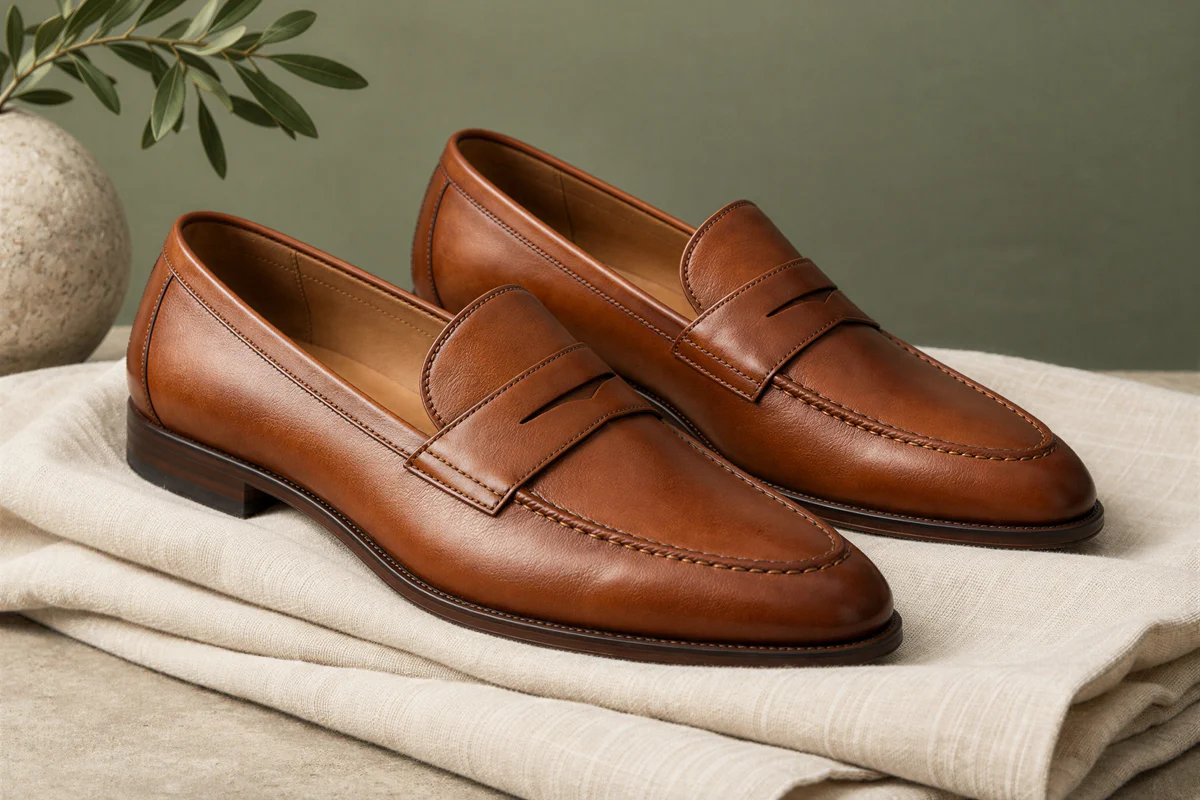
Cognac leather loafers with fine stitching on ivory linen against a sage backdrop, enhanced with Standard
Cognac leather loafers with fine stitching on ivory linen against a sage backdrop, low-resolution input
BeforeAfter · Standard

04 / A closer look at your products

Make every product photo work harder

Help customers see the shape, stitching, and texture that make a product appealing. Our Pixelated Image Fixer brings cleaner definition to small catalog images and previously saved product shots.

Refresh images for a storefront, a marketplace listing, or a seasonal collection. Sharper presentation makes your existing assets more useful, helping you build a consistent visual story without starting every photograph from scratch.

Try Pixelated Image Fixer
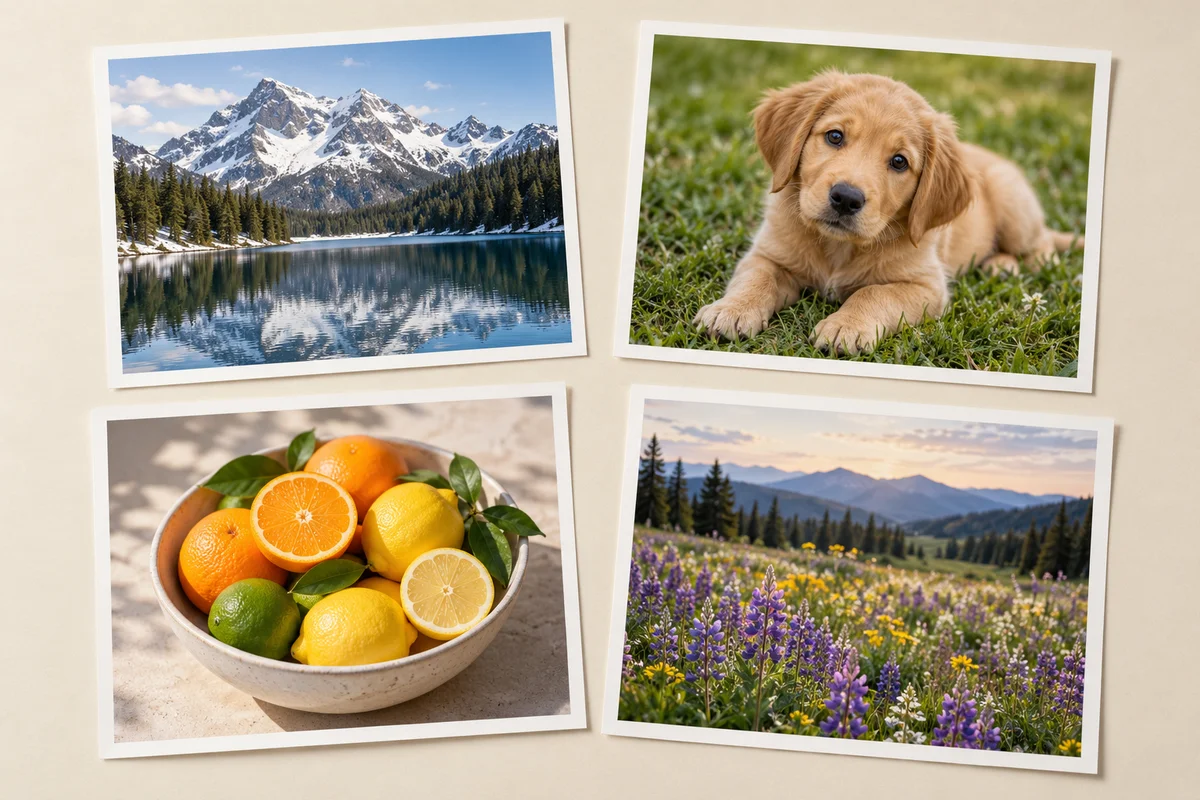
Four distinct photo prints showing a mountain lake, puppy, citrus fruit, and wildflower meadow
One collection. One workspace.ZIP download

05 / Your whole collection, together

Less repetition. More photos ready to use.

Working through an album or refreshing a set of listings? Add multiple photos to the Pixelated Image Fixer and keep them together in one workspace.

Follow each image as it finishes, compare individual results, and download your completed collection as a ZIP. Batch processing turns a repetitive upload-and-save routine into a straightforward workflow, so you can spend more time deciding where your pictures go next.

Try Pixelated Image Fixer

How to use the Pixelated Image Fixer

  1. 1

    Add your photo

    Drop your images into the Pixelated Image Fixer or select them from your device.

  2. 2

    Choose and enhance

    Start with Free HD at 2× or 4×, then click Fix Image.

  3. 3

    Compare and download

    Slide between before and after, then save a photo or your completed batch.

A Pixelated Image Fixer for everyday projects

Your next product launch

Refresh saved supplier photos for a new listing with the Pixelated Image Fixer.

An album worth revisiting

Give early digital camera photos a fresh place in your family collection.

A profile that feels like you

Prepare a favorite cropped portrait for your social profile or personal website.

A more polished presentation

Improve small supporting photos before adding them to slides, moodboards, or project pages.

Why choose our Pixelated Image Fixer?

An easy, free starting point

Free HD runs in your browser, with no account, credits, or software installation required.

More control when you need it

Choose additional enhancement levels in the Pixelated Image Fixer, with the credit cost shown before processing.

See the difference yourself

Compare your own original and result in the same workspace before saving the version you prefer.

Pixelated Image Fixer FAQ

Is the Pixelated Image Fixer free?

Yes. The Pixelated Image Fixer includes Free HD at 2× and 4× without sign-up or credits. Standard, High Fidelity, and Strong Restore are optional cloud enhancements that require an account and credits. Costs appear before you start.

Can a pixelated photo be fixed?

Our Pixelated Image Fixer can improve blocky edges and visible clarity. Pixelation often appears when small images are enlarged. Start with your best available copy; AI enhancement improves appearance rather than guaranteeing recovery of every original detail.

Can I use the Pixelated Image Fixer on my phone?

Yes. Open the Pixelated Image Fixer in a supported mobile browser, choose a photo, and enhance it. Free HD speed depends on your device and image size. Keep the page open while your photos are processing.

Which files does the Pixelated Image Fixer support?

The Pixelated Image Fixer accepts JPG, PNG, and WebP images, up to 12 MB each and 20 images per batch. Preview individual photos and download completed results together as a ZIP.

How do 2× and 4× differ from 1K, 2K, and 4K?

Free HD multiplies the original image dimensions by 2 or 4. Cloud enhancement offers target output sizes of 1K, 2K, or 4K. Available choices depend on the image dimensions, aspect ratio, and enhancement level.

Can it improve pixelated text and faces?

The Pixelated Image Fixer can improve visible edges in portraits and screenshots. Review important text and facial details in the comparison. Strong Restore may reinterpret details; unreadable text and deliberately hidden faces cannot be reliably recovered.

Where are my images processed?

The Pixelated Image Fixer processes Free HD images locally in your browser. Choosing a cloud enhancement uploads your selected images for server processing. Recent results are saved in this browser so you can return after refreshing.

What format can I download?

The Pixelated Image Fixer exports Free HD results as PNG. Cloud results download in the format supplied by the enhancement service. Save one image with its download button, or use ZIP download for completed results.

Try the Pixelated Image Fixer on your next photo

Try the Pixelated Image Fixer on a photo you already love. Upload, compare, and give it a fresh place to shine.

Fix My Pixelated Image
LogoUnblur Image

Enhance blurry images online for free

Tools
  • Image Upscaler for Printing
  • Pixelated Image Fixer
  • Compressed Image Repair
  • AI Image Denoiser
Resources
  • Changelog
Company
  • About
  • Contact
Legal
  • Acceptable Use Policy
  • Cookie Policy
  • Privacy Policy
  • Terms of Service
© 2026 Unblur Image. All Rights Reserved.